OAuth
MCP OAuth lets compatible AI clients connect to Directus through a browser authorization flow. Instead of copying a static token into the client, the user signs in to Directus, reviews the MCP client, and grants access from the consent page.
Use OAuth when your MCP client supports remote server OAuth discovery. Use static access tokens when your client only supports manual headers or query parameters.
mcp:access scope and the MCP server resource URL as its audience.Enable MCP OAuth
MCP OAuth has separate controls for the OAuth server and the client registration modes. The environment variables control what the instance allows. The project settings control what each Directus project allows.
Enable the OAuth Routes and a Registration Mode
For self-hosted projects, set MCP_OAUTH_ENABLED to true, enable at least one client registration mode, and restart Directus.
MCP_OAUTH_ENABLED=true
MCP_OAUTH_CIMD_ENABLED=true
PUBLIC_URL=https://directus.example.com
Use MCP_OAUTH_CIMD_ENABLED=true for Client ID Metadata Document registration, MCP_OAUTH_DCR_ENABLED=true for Dynamic Client Registration, or both if you intentionally support both onboarding paths.
PUBLIC_URL must be the public URL clients use to reach Directus. Directus uses it to build the OAuth issuer, protected resource, authorization, token, registration, and revocation URLs.
Enable OAuth in the Data Studio
- Log in to Directus as an administrator.
- Go to Settings > AI > Model Context Protocol.
- Enable MCP Server.
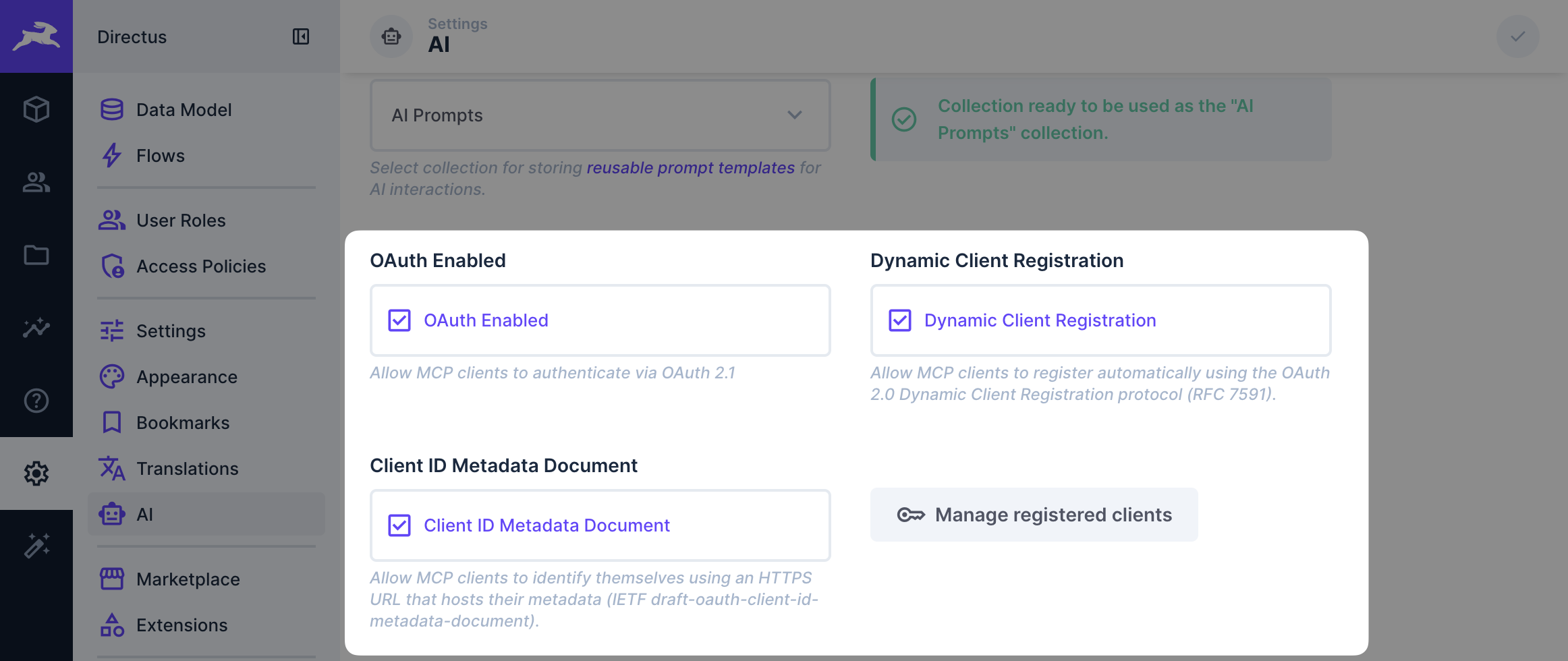
- Enable OAuth Enabled.
- Enable at least one client registration setting: Dynamic Client Registration or Client ID Metadata Document.
- Save the AI settings.
Connect from Your MCP Client
In the client, add the Directus MCP server URL:
https://directus.example.com/mcp
The client discovers OAuth support from the MCP endpoint and redirects the user to Directus when authorization is required.
Authorization Flow
When a compatible MCP client connects without a valid token, Directus returns an OAuth challenge for the /mcp endpoint. The client then discovers the OAuth endpoints, uses an enabled registration mode, and opens the Directus authorization page.
- The client connects to
https://directus.example.com/mcp. - Directus responds with a
WWW-Authenticateheader that points to the protected resource metadata. - The client reads
/.well-known/oauth-protected-resource/mcp. - The client reads
/.well-known/oauth-authorization-server. - The client registers with
/mcp-oauth/registerif Dynamic Client Registration is enabled, or identifies itself with a Client ID Metadata Document if CIMD is enabled. - The client opens
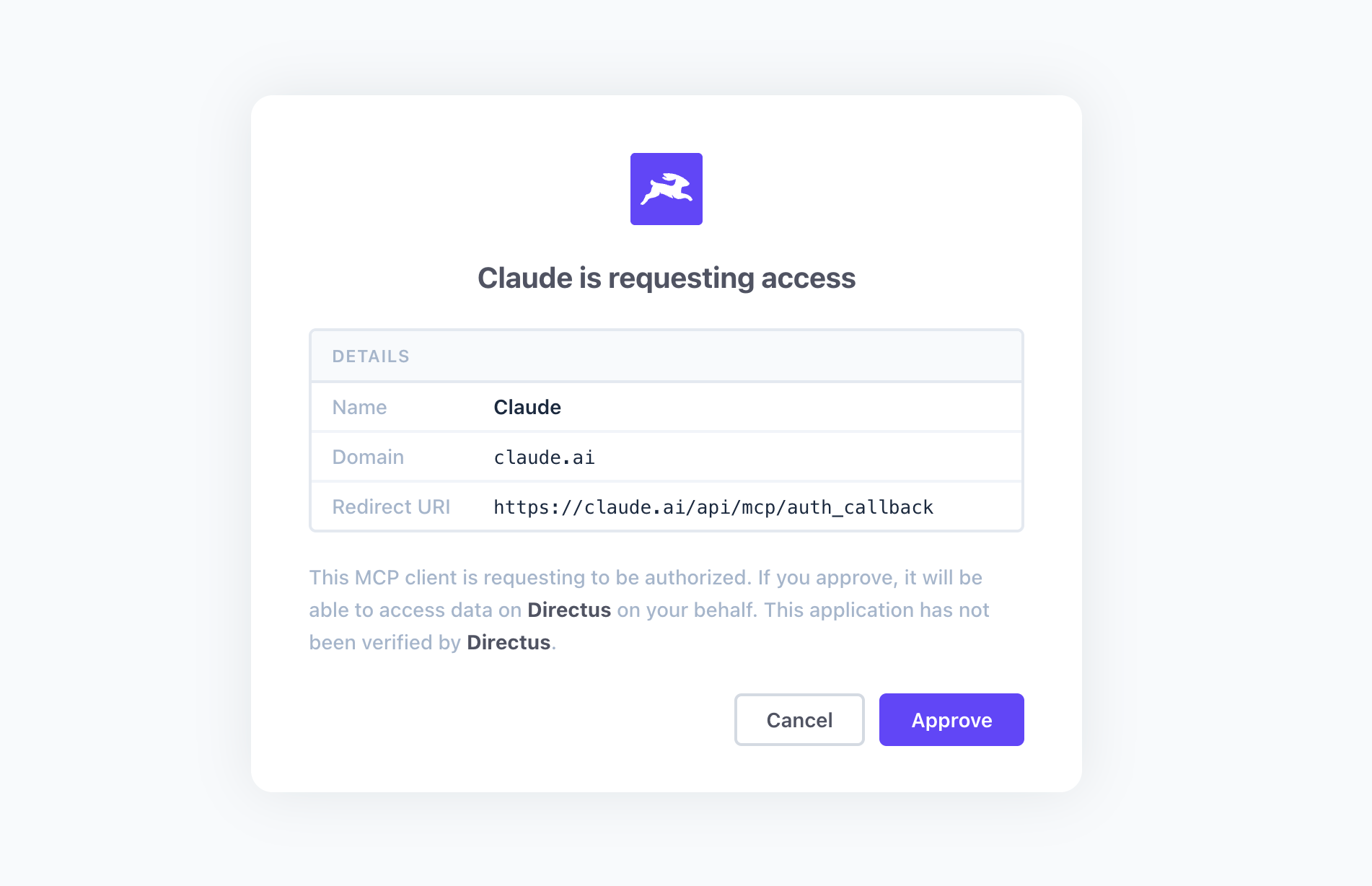
/mcp-oauth/authorizein the user's browser. - The user signs in to Directus, reviews the consent page, and approves or denies access.
- The client exchanges the authorization code at
/mcp-oauth/token. - The client sends the issued bearer token when calling
/mcp.
The consent page uses the user's Directus session. The token inherits that user's Directus permissions and can only be used against the MCP endpoint.
The GET /mcp-oauth/authorize endpoint uses the RATE_LIMITER_MCP_OAUTH_* rate limiter pool.
Client Registration
Directus supports two registration methods for MCP OAuth clients. Both are disabled by default. A registration mode is advertised and accepted only when both the environment variable and the project setting are enabled.
| Method | Setting | Use When |
|---|---|---|
| Dynamic Client Registration | Dynamic Client Registration | The client registers itself by sending metadata to /mcp-oauth/register. |
| Client ID Metadata Document | Client ID Metadata Document | The client uses an HTTPS client_id URL that hosts its metadata. |
The MCP authorization specification explains how MCP clients choose between pre-registration, Client ID Metadata Documents, and Dynamic Client Registration. For protocol details, see OAuth 2.0 Dynamic Client Registration and the OAuth Client ID Metadata Document draft.
Dynamic Client Registration is useful for clients that expect an OAuth registration endpoint. Because it exposes an unauthenticated registration write endpoint, enable it only when your clients need it.
Dynamic Client Registration
Dynamic Client Registration accepts public and confidential clients:
| Client Type | token_endpoint_auth_method | Behavior |
|---|---|---|
| Public client | none | Uses authorization code with PKCE and no client secret. |
| Confidential client | client_secret_basic | Receives a generated client_secret and authenticates with HTTP Basic at token and revocation endpoints. |
| Confidential client | client_secret_post | Receives a generated client_secret and authenticates with form parameters at token and revocation endpoints. |
The generated client_secret is returned once in the registration response. Directus stores only a hash of the secret.
Dynamic Client Registration uses the RATE_LIMITER_MCP_OAUTH_REGISTRATION_* rate limiter pool.
Client ID Metadata Document
Client ID Metadata Document clients publish metadata at their client_id URL. Directus fetches and validates the metadata during authorization, then caches the client metadata according to the response cache headers.
Client ID Metadata Document registration can be a good onboarding model because it avoids unauthenticated local client creation. It is still opt-in because Directus must make an outbound metadata request.
Directus hardens CIMD metadata fetching by:
- Requiring HTTPS by default.
MCP_OAUTH_CIMD_ALLOW_HTTPis available only for local development. - Rejecting
client_idURLs with query strings, fragments, credentials, root paths, dot segments, IP-address hosts, non-canonical forms, blocked TLDs, or more than 255 characters. - Fetching metadata without redirects.
- Limiting metadata responses to JSON content types, 5 KB, and 3 seconds.
- Using Directus' shared outbound request IP deny list,
IMPORT_IP_DENY_LIST, at connection and DNS lookup time. - Supporting
MCP_OAUTH_CIMD_ALLOWED_DOMAINSto restrict which metadata hosts can register.
For production projects, restrict which metadata hosts can register by setting MCP_OAUTH_CIMD_ALLOWED_DOMAINS. Leave MCP_OAUTH_CIMD_ALLOW_HTTP disabled outside local development.
Redirect URI Controls
Use MCP_OAUTH_ALLOWED_REDIRECT_DOMAINS to restrict HTTPS OAuth redirect URIs to specific domains. Leave it empty to allow any valid HTTPS redirect URI. The allowlist supports exact domains like cursor.com and wildcard subdomains like *.anthropic.com.
Use MCP_OAUTH_ALLOWED_CUSTOM_REDIRECTS to control which custom URI-scheme OAuth redirect targets Directus accepts for desktop MCP clients. Directus allows raycast://oauth and cursor://cursor.mcp by default. Override this setting to replace those defaults, or set it to an empty value to disable custom-scheme redirects.
Loopback redirects for native clients and configured custom-scheme redirects are allowed separately from the HTTPS domain allowlist.
Tested MCP Clients
MCP OAuth support depends on the MCP client, not the model provider. Record a client here only after testing it against Directus. Include the tested date and client version where available.
| Client | Tested | Registration Method | Enable | Notes |
|---|---|---|---|---|
| ChatGPT | 2026-05-28 | DCR | MCP_OAUTH_DCR_ENABLED=true | Requires Advanced OAuth settings during connector setup. |
| Claude Code | 2026-05-28 | CIMD preferred. DCR also works. | MCP_OAUTH_CIMD_ENABLED=true | Add the server with claude mcp add --transport http. |
| Claude Desktop | 2026-05-28 | CIMD preferred. DCR also works. | MCP_OAUTH_CIMD_ENABLED=true | - |
| Claude.ai | 2026-05-28 | CIMD preferred. DCR also works. | MCP_OAUTH_CIMD_ENABLED=true | - |
| Cursor | 2026-05-28 | DCR | MCP_OAUTH_DCR_ENABLED=true | Cursor install URL can prefill the MCP server URL. |
| Figma Make | 2026-05-28 | DCR | MCP_OAUTH_DCR_ENABLED=true | - |
| Raycast | 2026-05-28 | DCR | MCP_OAUTH_DCR_ENABLED=true | - |
| v0 | 2026-05-28 | CIMD | MCP_OAUTH_CIMD_ENABLED=true | - |
| VS Code | 2026-05-28 | CIMD | MCP_OAUTH_CIMD_ENABLED=true | Does not fall back to DCR. |
Manage Registered Clients
Administrators can review and revoke registered clients in Settings > AI > Model Context Protocol > Manage Registered Clients.
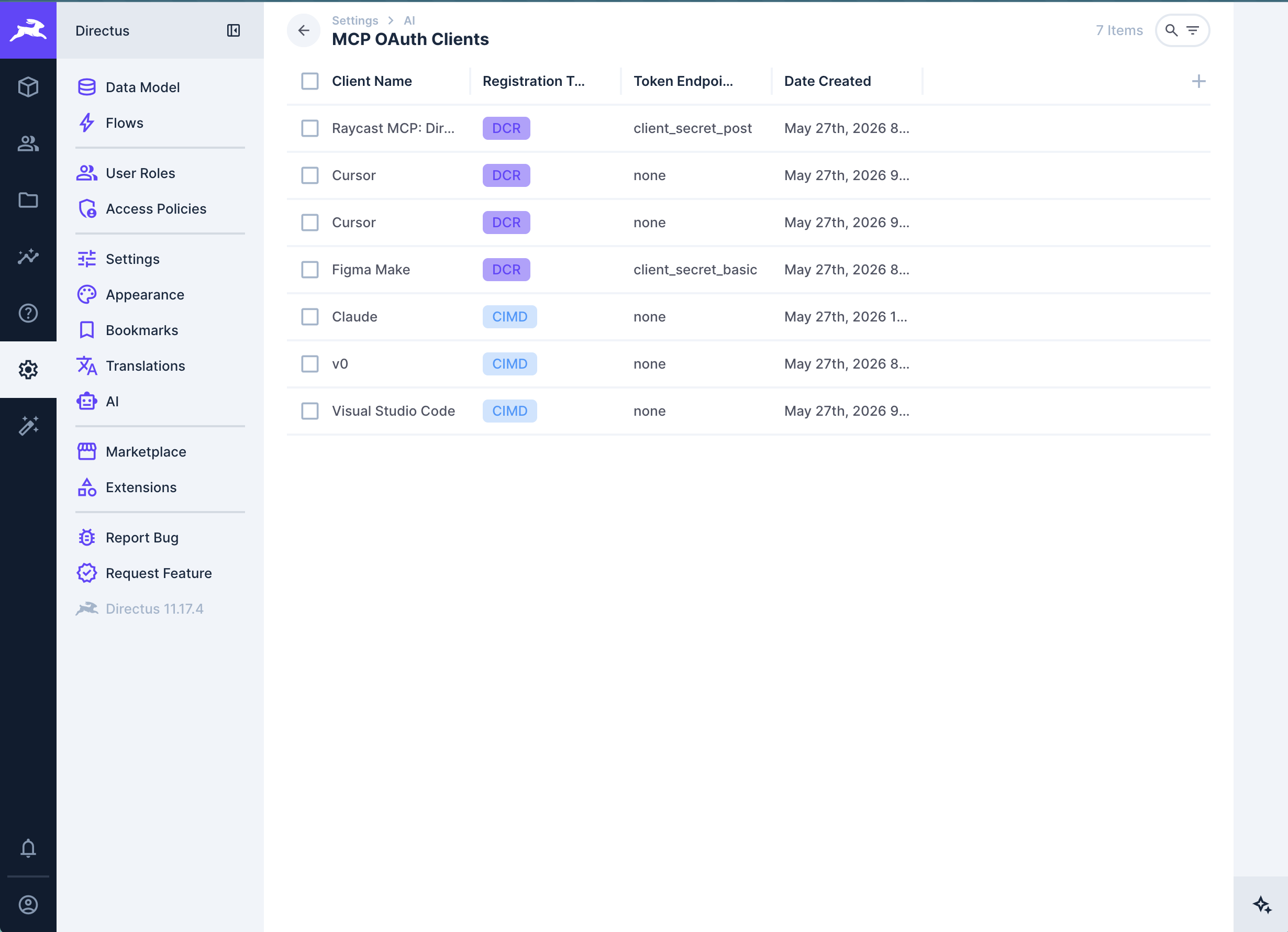
Revoking a client removes its OAuth grants and sessions. The user must authorize the client again before it can access the MCP server.
Configuration Reference
See AI Configuration for MCP OAuth environment variables. See Security & Limits for MCP OAuth rate limiter settings.
Get once-a-month release notes & real‑world code tips...no fluff. 🐰